Planformer
Construction takeoff and estimating, on phone, tablet, desktop and web.

Overview
Planformer is takeoff and estimating software for contractors. An estimator uploads a PDF plan set, sets the drawing scale, measures lengths, areas and counts, and turns those quantities into a priced estimate. It competes in a market led by established desktop tools such as PlanSwift and STACK.
Planformer is a US startup, and we are its entire product and engineering team. Every part of it is ours, design and code: the apps for iPhone, iPad, Android, Windows, Mac and the web, built from one Flutter codebase, plus the cloud backend, the admin dashboard and the marketing website. It now earns thousands of dollars a month in subscriptions.
iPhone, iPad, Android, Windows, macOS and web, from one Flutter codebase
of dollars in monthly recurring revenue, from paying subscribers
Takeoffs keep working on site, with or without signal
The challenge
Takeoff software is judged on one thing: whether the numbers are right. A plan measured on a phone at the site has to give exactly the same answer as the same plan on a Windows PC at the office, whatever the screen density and however the PDF was rendered.
Contractors also work where there is no signal. Work done offline on one device had to be kept and merged with work from another, never overwritten. And the business needed one subscription sold through the App Store, Google Play and the web, while its desktop apps shipped outside the app stores.
Platforms
One product, available on 6 platforms. Every one of them is live.
Inside the app
Every screen we designed, platform by platform, in the order a contractor meets them — plus the website. Tap any screen for a closer look.
01Desktop & web
19 screens
01Welcome: sign in with Google or Apple, or create an account
02Creating an account with name, email, organization and phone
03An empty projects dashboard, in dark mode
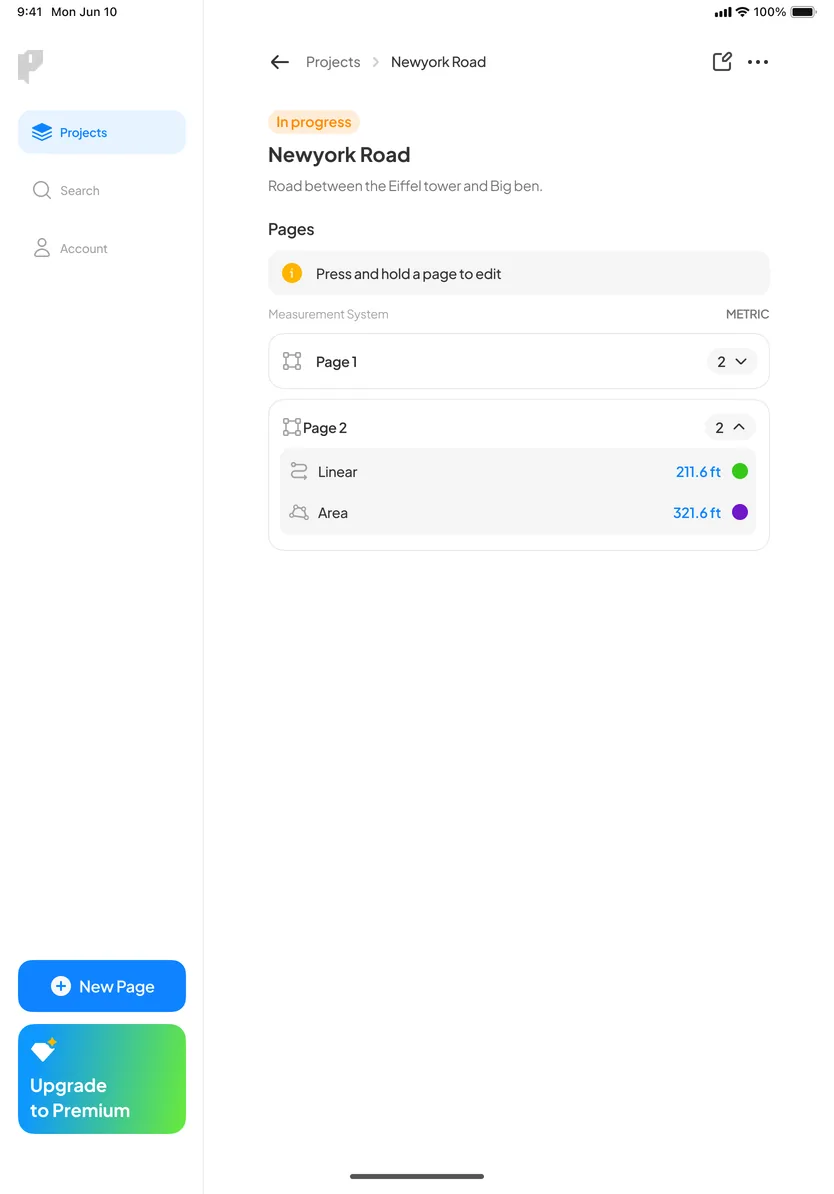
04Projects dashboard with status filters, search and an upgrade prompt
05Account menu: Premium, theme, settings and log out
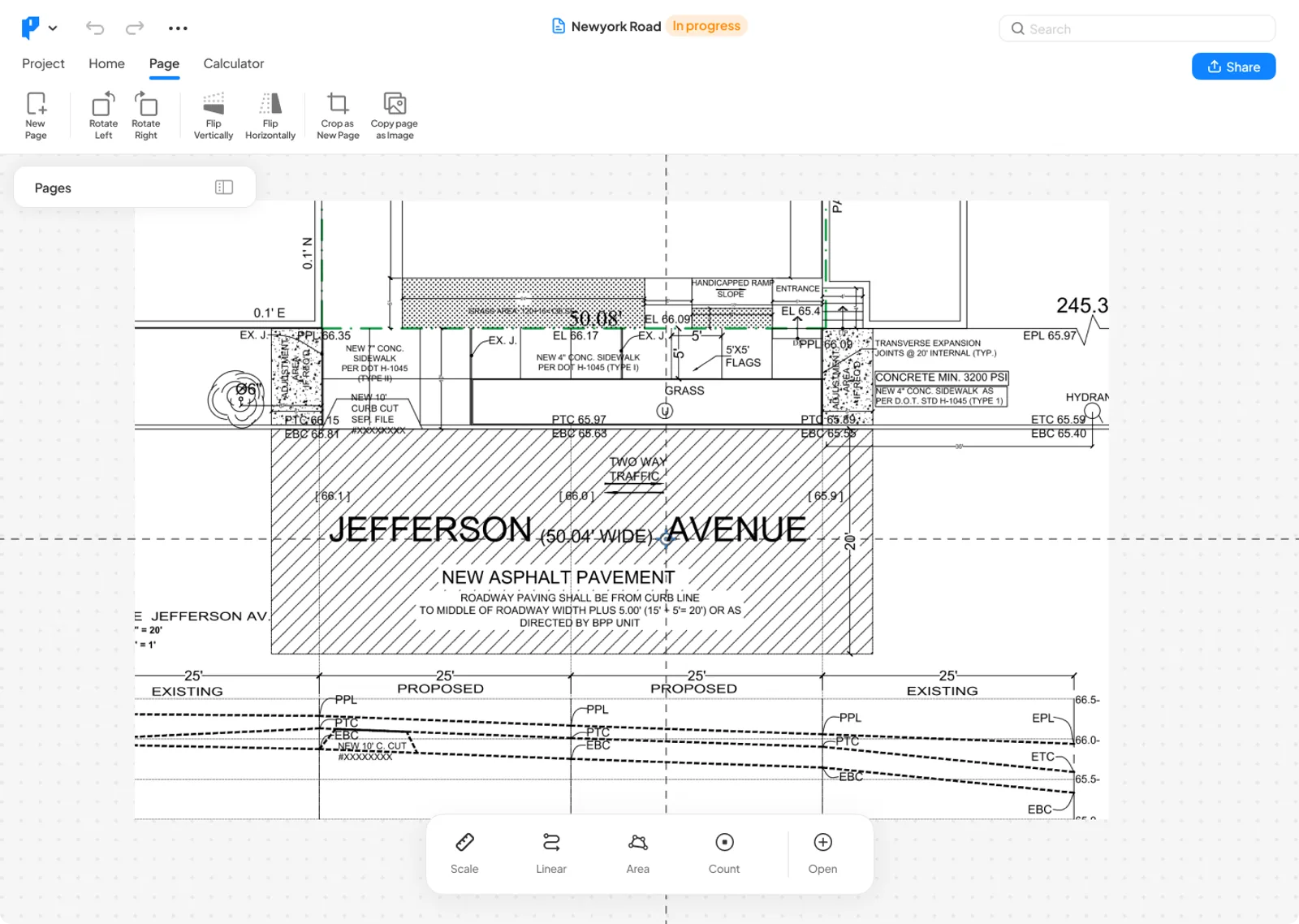
06A new page: a blank canvas with the Scale, Linear, Area and Count tools
07A road plan on the canvas, in dark mode
08Highlighting part of the plan with a custom colour and opacity
09Adding a note beside areas and count markers in the measurement list
10Page tools: rotate, flip, crop to a new page and copy as an image
11Sharing a project as a PDF or a page as an image
12Share preview with the measurement legend
13Calculator: quantities from the plan with cost, markup and total price
14Adding a build item to the calculator, in dark mode
15Exporting the calculator to Excel
16Removing a build item, with confirmation
17Settings: notifications, crosshair style and colour, guidelines, theme and measurement system
18Deleting a project, with confirmation
19When Premium lapses, editing pauses with a clear way to upgrade
How we approached it
We treated Planformer as one product with six front doors: the same projects, measurements and prices everywhere, with each screen size getting a layout of its own.
Precision first. Scale is set by calibrating against a known dimension or by entering the drawing’s ratio, and every measurement inherits it. PDF pages are rasterised with their resolution recorded, so a ¼-inch scale measures true on every screen, high-density displays included.
Made for fingers and for a mouse. Phones and tablets get a crosshair, with its own style and colour, for placing points precisely under a finger. Desktop and web get menus, keyboard shortcuts for undo and redo, page tools and a sidebar that groups every measurement on the sheet.
Offline first. Every project lives in a local database on the device and syncs through versioned changes to the cloud, so work done without signal is kept, and merges with what other devices saved instead of overwriting it.
From quantities to a price. A pricing calculator turns measurements into build items with cost and markup, a volume calculator handles concrete and asphalt, and the result exports to Excel, or as a marked-up PDF or image of the plan.
A business, not just an app. Subscriptions run through RevenueCat on the App Store and Google Play and through Stripe on the web and desktop, with free trials and coupon codes. An admin dashboard lets the Planformer team run tutorials, the help centre, demo projects, push notifications, blog posts and required updates without shipping a release.
Shipped like desktop software. The Windows app is a signed installer and the Mac app is notarized, and both update themselves. The marketing site, planformer.com, has a live takeoff demo that runs in the browser and downloads for every platform.
What we built
Calibrated scale
Set the scale from a known dimension or the drawing’s ratio, in imperial or metric units.
Linear, area and count
Straight and curved runs, areas with cut-outs, count markers, highlights and notes.
Plans in any format
PDFs, images and TIFFs, multi-page sets included, with pages to rotate, flip and crop.
Pricing calculator
Build items with quantity, unit cost and markup, totalled for every page.
Volume calculator
Concrete and asphalt volumes from the measured area, depth and width.
Export and share
Estimates to Excel, and marked-up plans as a PDF or image, in colour or greyscale.
Offline-first sync
Work without signal on site; changes merge across devices when you’re back online.
One subscription everywhere
Pro across the App Store, Google Play and the web, with trials and coupon codes.
Admin dashboard
Tutorials, help centre, demo projects, notifications, blog and required updates, without a release.
Got something like this in mind?
We take products from a first sketch to the app store. Tell us what you're building and we'll tell you honestly how we'd approach it.